
robinwood tutorial almost finished
questions for bryce 6.1 users
I have gone thru 11 of the 12-lesson set of tutorials by Robinwood, and while feel that i now have an idea about how to use Bryce, i have a few questions about it and about Bryce in general.
Main pics of work i made is here: http://tinyurl.com/legvov
Here are a couple of examples:
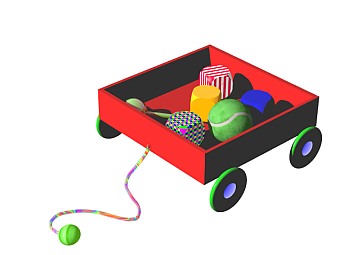 first artwork i ever did 🙂
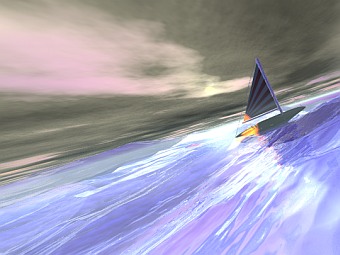 intermediate lesson #5 ship on water
First of all: I’m well-versed in computers, and absolutely zero in graphical ability. I have used Paint Shop Pro for a few years, but am not good in using it. I can follow directions very well, but am not so good at grasping things i have never thot of before.
To me, this Robinwood tutorial is very well-done, but made for someone who is already well-versed in graphical terms and concepts. For someone used to painting with some computer program, the points, especially about drawing, would probably not be a problem.
Questions:
1. The hardest things i’ve found to do easily is to get the right camera scene i want, to point lights and cameras, and to select objects. These are very basic, and i wonder if anyone else has problems with these? To be more specific, often i want to have the camera a little bit above the object looking down at about a 45 angle, but often cannot get the camera to that position. Sometimes only “freehand” is available for use, and if i make a quick move, i’ve lost my scene forever. And to select objects, sometimes i find it impossible, even with using the “select all of type” controls at the bottom of the screen. Isn’t there some way to see a list of all objects available for selection, and just select what you want easily? In doing these lessons, many times i selected all, then get royally confused as the perspective camera got selected and materiallized etc. etc. – ha! Lights aren’t quite as bad as handling cameras, but how to point them exactly at what you want, like just the stern of a boat? Use nulls? And to perfectly line up something, it takes a long time of flipping thru all the camera views to get it done (if you don’t want to align).
2. The preset lighting is not very good. I want to see the colors (normally) on new objects i put into a scene, but because of poor preset lighting, sometimes the whole thing is in the shadow, and thus, black. So now i spend quite some time setting the sun’s angle just right in the SKY&FOG palette to make the colors come alive, but still it is not too good. (Note, after completing tut, i set my defaults quite differently than what the originals were. Why set the factory default so everything is mostly black?)
3. I have a terrible time getting the night sky to display showing stars. I’ve followed instructions from several tutorials, and have managed to get it once, but it should be very easy to do.
—————————–
In animation:
1. In doing the butterfly animation in intermediate lesson 1, my butterfly gets attached to the path heading backwards. It seems like it should be easy to disattach him from the path, orient correctly, and then attach him again, but even in doing that, it reverts right back to starting off heading backwards.
…